
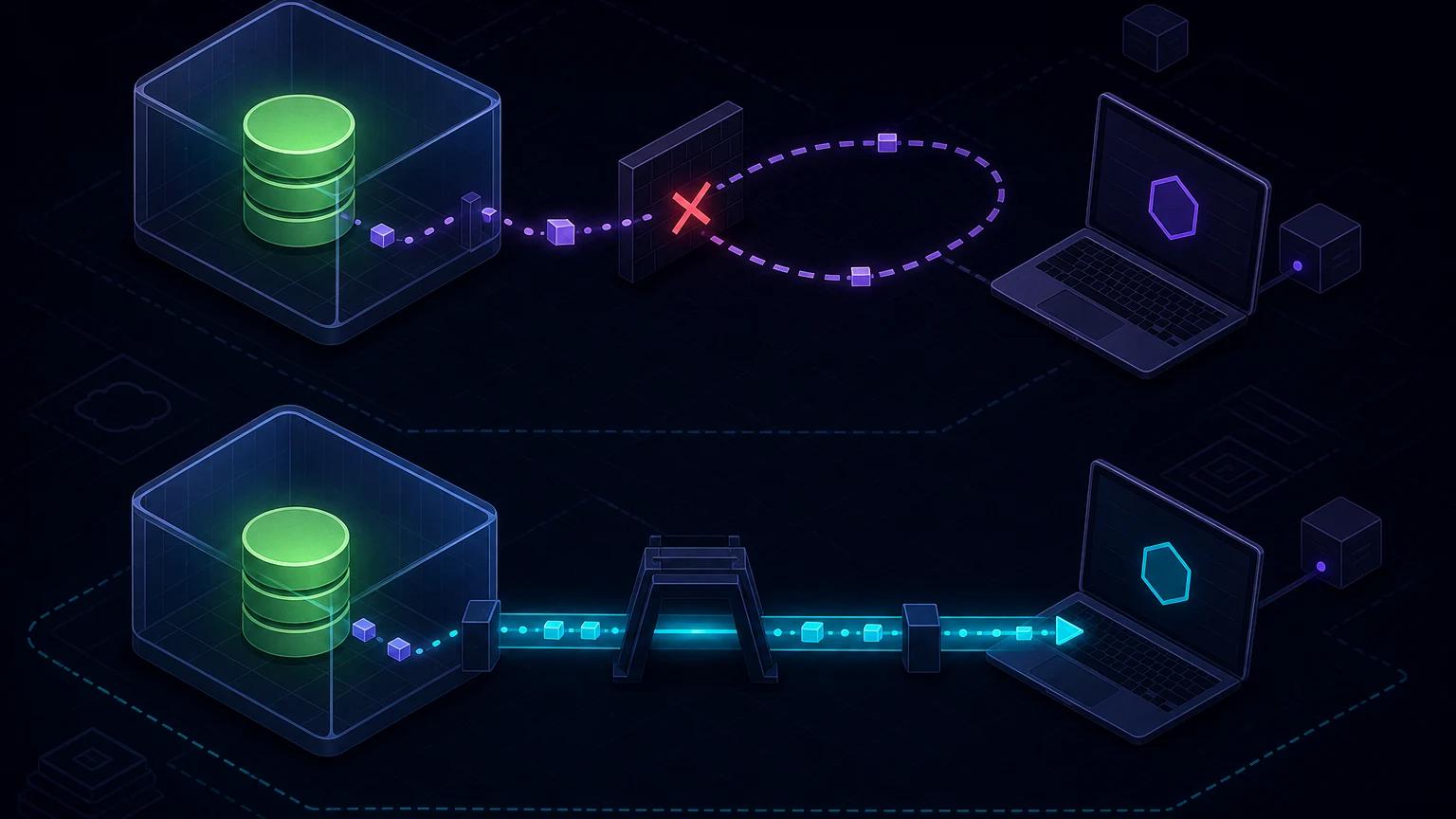
To test a Supabase Database Webhook on localhost, use host.docker.internal when both Supabase and your receiver run on your machine, or use a public HTTPS tunnel when a hosted Supabase project must call your local app. The distinction matters: local Postgres runs in Docker, where localhost means the database container, while hosted Supabase needs an internet-reachable URL.
What Supabase Database Webhooks send
Database Webhooks react to Postgres INSERT, UPDATE, and DELETE operations on a selected table. Supabase describes them as an asynchronous wrapper around triggers using the pg_net extension. The transaction that changes the row does not wait for your receiver to finish its business logic, which reduces coupling but also means the receiver must be observable and failure-aware.
The JSON payload identifies the operation, schema, and table and includes row data. For inserts and updates, record contains the new row. For updates and deletes, old_record provides the previous row where available. Build handlers around the documented envelope rather than treating every request as only a row object.
Local stack versus hosted project
Local Supabase to a local app: use the Docker host
When you run supabase start, Postgres is inside a container. A webhook URL such as http://localhost:3000/api/supabase-db-hook loops back into that container and usually fails. Supabase's official Database Webhooks documentation says to target host.docker.internal:
http://host.docker.internal:3000/api/supabase-db-hookThis route does not require a public tunnel. On Linux engines where that hostname is unavailable, use the host-gateway mapping supported by your Docker setup or your machine's LAN address, as the Supabase docs suggest. Confirm from a container, not merely from the host browser.
Hosted Supabase to a local app: use HTTPS
A cloud database cannot resolve your laptop's Docker hostname or private loopback address. Start the local app and run npx portpreview 3000, then configure:
https://your-subdomain.portpreview.dev/api/supabase-db-hookUse a dedicated development project or low-risk table. A cloud webhook can include real row data, so exposing a production table to a temporary development URL is usually a poor test strategy.
Create a receiver that validates a shared secret
Unlike providers that define a mandatory HMAC header, a Database Webhook is a configurable outbound HTTP request. Protect the endpoint with a secret header you control and configure the same header on the webhook. TLS protects it in transit; a constant-time comparison avoids leaking secret-prefix timing through your application.
// app/api/supabase-db-hook/route.ts
import crypto from 'node:crypto';

function safeEqual(a: string, b: string) {
  const left = Buffer.from(a);
  const right = Buffer.from(b);
  return left.length === right.length &&
    crypto.timingSafeEqual(left, right);
}

export async function POST(request: Request) {
  const supplied = request.headers.get('x-webhook-secret') ?? '';
  const expected = process.env.SUPABASE_DB_WEBHOOK_SECRET ?? '';

  if (!expected || !safeEqual(supplied, expected)) {
    return new Response('unauthorized', { status: 401 });
  }

  const payload = await request.json();
  if (!['INSERT', 'UPDATE', 'DELETE'].includes(payload.type)) {
    return new Response('unsupported event', { status: 400 });
  }

  await recordDelivery(payload);
  return new Response('accepted', { status: 200 });
}
A shared header proves knowledge of the secret but does not cryptographically bind that secret to the body. If body-level tamper evidence is required, send the Database Webhook to a small trusted Edge Function that validates its own inbound secret, computes your chosen HMAC over a canonical outbound body, and forwards it to the local or production consumer. Do not invent an X-Supabase-Signature assumption unless your own forwarding layer creates and verifies it.
Configure and trigger a focused webhook
- Choose a development table and decide which operations matter.
- Create the Database Webhook in the Supabase Dashboard under Database → Webhooks, selecting the schema, table, and operations.
- Set the local Docker URL or public tunnel URL described above.
- Add
Content-Type: application/jsonand a randomX-Webhook-Secretvalue where webhook header configuration is available. - Start the receiver and insert a clearly labeled test row.
- Update one field, then delete the row, verifying all selected envelopes.
- Remove or disable the test webhook before switching projects or closing the tunnel.
Name test rows so cleanup is deterministic. Do not fire a table-wide integration at production customer records merely to see a request arrive.
Interpret INSERT, UPDATE, and DELETE safely
INSERT
Use record as the newly inserted state. If the receiver creates a corresponding object elsewhere, store the source table's primary key as an idempotency key. An insert event can be delivered again during manual replay or custom retry processing.
UPDATE
Compare record with old_record and act only on fields relevant to the integration. A general update webhook may fire for timestamps or unrelated metadata. Filtering no-op business changes prevents expensive downstream calls.
DELETE
The deleted row is represented by previous data rather than a current record. Make deletion handlers tolerant of missing optional fields and decide whether the downstream action is deletion, archival, or revocation. Preserve audit requirements.
switch (payload.type) {
  case 'INSERT':
    await mirror.upsert(payload.record.id, payload.record);
    break;
  case 'UPDATE':
    if (payload.old_record.status !== payload.record.status) {
      await syncStatus(payload.record.id, payload.record.status);
    }
    break;
  case 'DELETE':
    await mirror.archive(payload.old_record.id);
    break;
}
Delivery reliability is an application concern
Because Database Webhooks are asynchronous network requests, do not treat receipt as a distributed transaction with the originating row change. Your remote side may be unavailable after Postgres commits. Monitor outbound request results and design reconciliation for anything that cannot be lost.
For high-value workflows, an outbox table is stronger: write a business change and outbox row in one database transaction, then let a worker deliver with explicit retry counters, backoff, and dead-letter handling. A Database Webhook can notify the worker, but periodic reconciliation should still find undelivered outbox rows.
Make the receiver idempotent. A useful key combines source schema, table, operation, primary key, and a stable row version such as updated_at; for strict guarantees, add an immutable event UUID in an outbox row. Avoid hashing only the current row because two valid transitions can produce similar projections.
Calling a local Supabase Edge Function
If the destination is an Edge Function served by the local Supabase stack, the documented example is:
http://host.docker.internal:54321/functions/v1/my-function-nameThe official Edge Functions development guide uses supabase functions serve [function-name] for local hot reload. Edge Functions require JWT verification by default. For a webhook function that cannot supply a user JWT, configure that function deliberately, for example with verify_jwt = false in supabase/config.toml, as documented in Function Configuration. Replace JWT authentication with your secret-header or signature check; disabling JWT alone makes the function public.
Troubleshoot Supabase webhook localhost delivery
Connection refused from the local stack
Replace localhost with host.docker.internal, verify the app binds to an interface reachable from Docker, and confirm the port. On Linux, configure host-gateway resolution or use the host IP. A service bound only to an unexpected interface may still reject container traffic.
The hosted project never reaches the route
A hosted project needs the public HTTPS tunnel URL, not the Docker hostname. Confirm the tunnel is live and its URL includes the complete route. Check DNS/TLS by posting to it yourself.
The route returns 401
Compare the configured header name and value, watch for leading or trailing whitespace, and restart the app after changing environment variables. Log whether the header exists, never its value. If an intermediary strips custom headers, use a conventional Authorization: Bearer ... header and validate it explicitly.
The payload shape seems wrong
Log only the top-level keys, operation, schema, and table in development. Remember that DELETE uses previous row data and UPDATE can include both versions. Validate against the current official payload examples before changing your parser.
The database update succeeds but downstream work is missing
That behavior is possible in an asynchronous design. Inspect webhook request logs and pg_net diagnostics available in your environment, then add retry or reconciliation rather than rolling back an already committed business transaction.
Security checklist
- Use HTTPS for hosted-to-local tests and rotate the temporary shared secret afterward.
- Send only necessary columns; avoid exposing sensitive tables or broad production payloads.
- Validate a secret header before parsing or persisting the body.
- Apply POST-only routing, request-size limits, rate controls, and redacted logs.
- Use separate local, staging, and production webhook configurations.
- Build explicit retries, idempotency, monitoring, and reconciliation for important events.
- Disable temporary cloud webhook URLs when the tunnel closes.
The most common local bug is network addressing, not Postgres: local-container calls use host.docker.internal; cloud calls use a public tunnel. Once traffic arrives, treat authentication and delivery guarantees as separate design problems. Review localhost tunnel security and webhook reliability patterns before connecting sensitive data.